A Black Friday Introduction to DxO Software
18th November 2026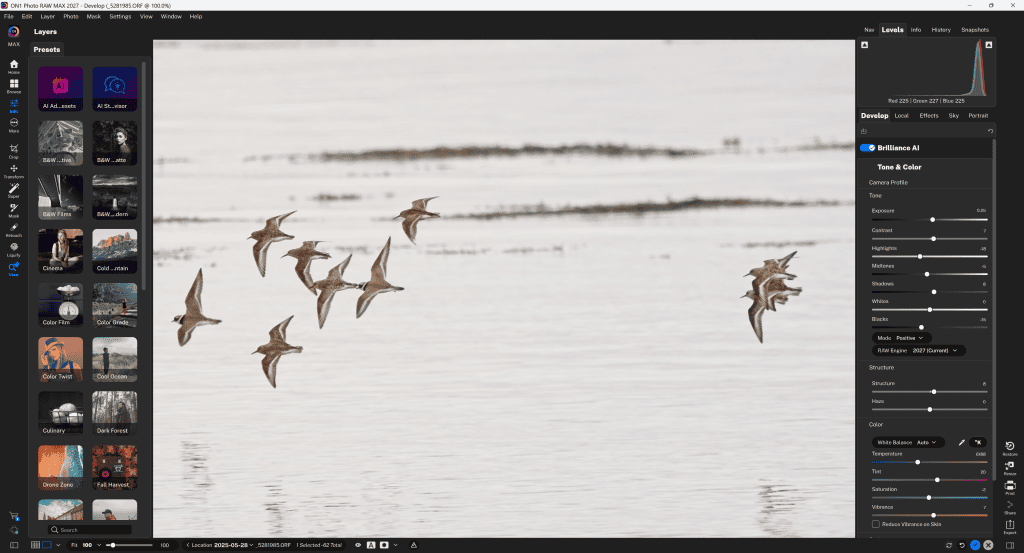
Introduction
ON1 offers an unusually broad photographic toolkit. It includes a full RAW editor with an expanded MAX Version. It also has specialist programs for noise reduction, enlargement, portraits, creative effects, and more. Its appeal is flexibility.
Photographers can replace much, or even all, of an Adobe workflow, or keep their existing editor and add individual ON1 tools to fill Adobe’s gaps.
Photo RAW 2027 is now available. Like many image-processing tools, the range increasingly emphasises AI assistance while retaining conventional controls.
With so many options, photographers should decide which features they need. Hopefully, this will help guide you to the version you need.
ON1 Photo RAW 2027 is a Suitable Replacement for Lightroom and Photoshop for most Photographers.
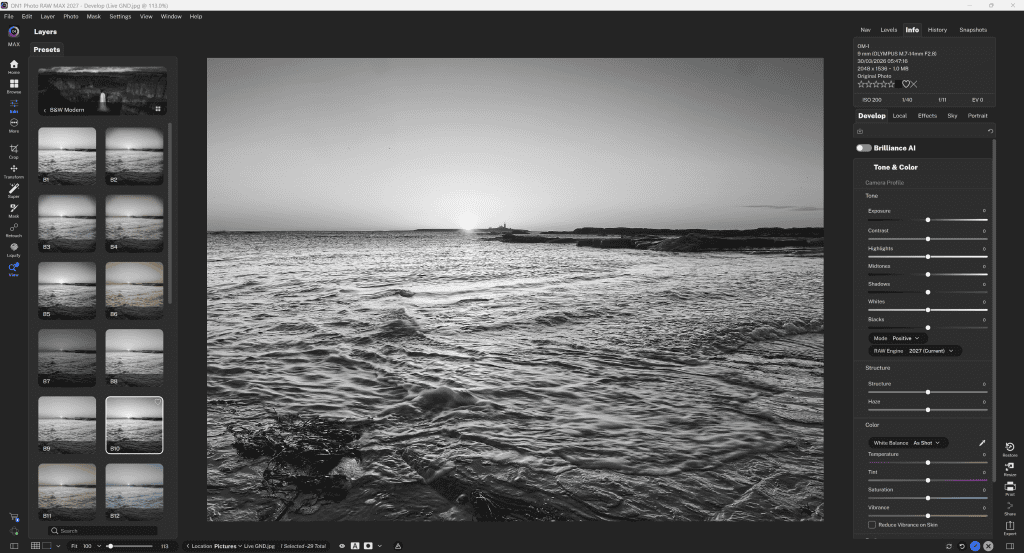
Photo RAW combines file browsing and organisation, RAW development, local adjustments, masking, layers, retouching, presets and export in one Windows or Mac application.
In addition to its catalogue-based workflow, it can also browse photographs in existing folders. Importantly, you can import a Lightroom catalogue into ON1 Photo RAW, so you don’t lose all the work you’ve spent perfecting.
For those new to image processing, the learning curve isn’t as steep as with the Lightroom/Adobe option. It is also designed by and for photographers. Photoshop has a myriad of tools a photographer never needs, while ON1’s comprehensive set focuses on photographers’ needs, whether they’re novices or experts.
Brilliance AI supplies quick tonal and colour starting points; Super Select AI simplifies targeting subjects and skies; NoNoise AI, Resize AI, and Tack Sharp AI, as their names suggest, handle noise reduction, image enlargement, and sharpness, including out-of-focus corrections.
The latest 2027 release improves RAW processing, masking and performance, which was already excellent.
Its greatest strength is its breadth of functions. A landscape photographer can develop a raw file, mask the sky, apply effects and prepare a print without changing applications.
However, the number of tools can make the interface feel busy. As with all software, you still need to check AI results carefully for halos, unnatural texture, or excessive processing.
ON1 Photo RAW is strongest for enthusiasts who want a comprehensive, non-subscription program that combines a catalogue, browser, raw-file developer, and editor.
You can install it on two computers.
Who should buy it? Photographers who want one desktop application for raw development, cataloguing, and creative edits.
Why buy it?
It replaces several stages of a typical workflow with integrated browsing, masking, layers and effects. Switching between the various modules is much faster than jumping between Lightroom and Photoshop.
Verdict.
This is the best all-round ON1 purchase for photographers starting fresh, and it’s intuitive. However, do allow time to learn its extensive interface.
ON1 Photo RAW MAX 2027 is the Premium Version
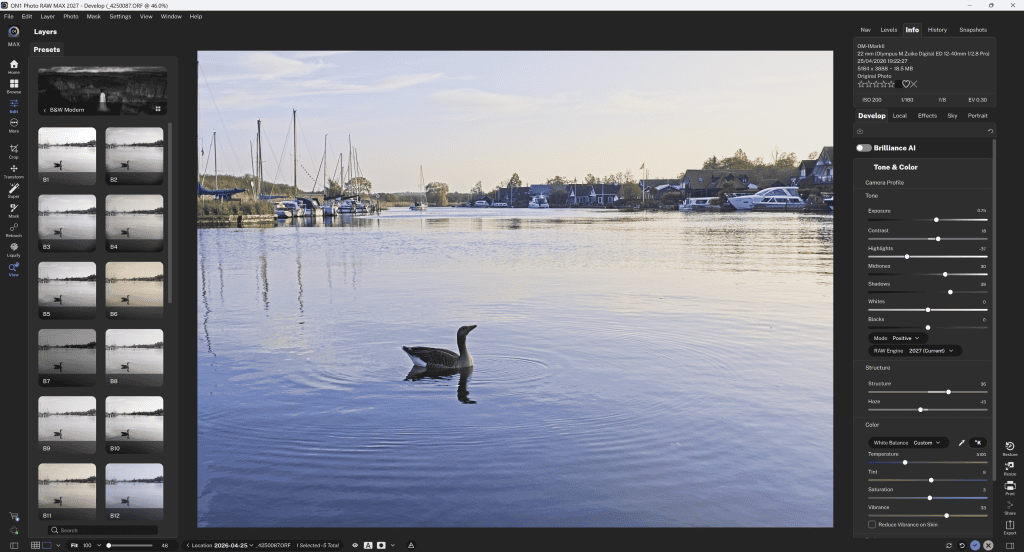
ON1 Photo RAW MAX 2027 includes Photo RAW’s tools and adds important workflow capabilities. It is also a subscription model.
Firstly, its AI Culling Assistant helps sort large shoots.
It also includes Restore AI, which quickly repairs damaged or faded photographs. It also has enhanced cloud-based Generative Erase and Crop Extend retouching.
MAX also supports plugins for Photoshop, Lightroom, and other compatible host applications. Plus, it lets you install it on more computers than the standard perpetual-licence edition.
MAX makes sense for wedding, event, and commercial photographers who process large batches of images. It’s also great for Adobe users who want ON1 tools without abandoning their existing library, although the Lightroom library can be migrated to ON1.
I’ve been using Restore AI for family archives, but it’s important to remember that reconstructed details shouldn’t be mistaken for historically authentic information.
Remember that cloud-powered features require internet connectivity. This raises workflow and privacy considerations. However, the people at ON1 are mindful of this. For example, they train their AI models only on data they have purchased and not on your images.
If the extra features aren’t important to you and you only edit occasional photographs entirely within ON1, standard Photo RAW may offer better value.
Max can be installed on three computers.
Who should buy it?
High-volume photographers and Lightroom or Photoshop users who want ON1 alongside their current editor.
Why buy it?
Its expanded workflow tools and plugin flexibility can save time across large jobs.
Verdict.
It’s worth the premium when you will actually use the extra integration and productivity features. Otherwise, standard Photo RAW offers better value.
ON1 NoNoise AI rescuing high-ISO and long exposure image files
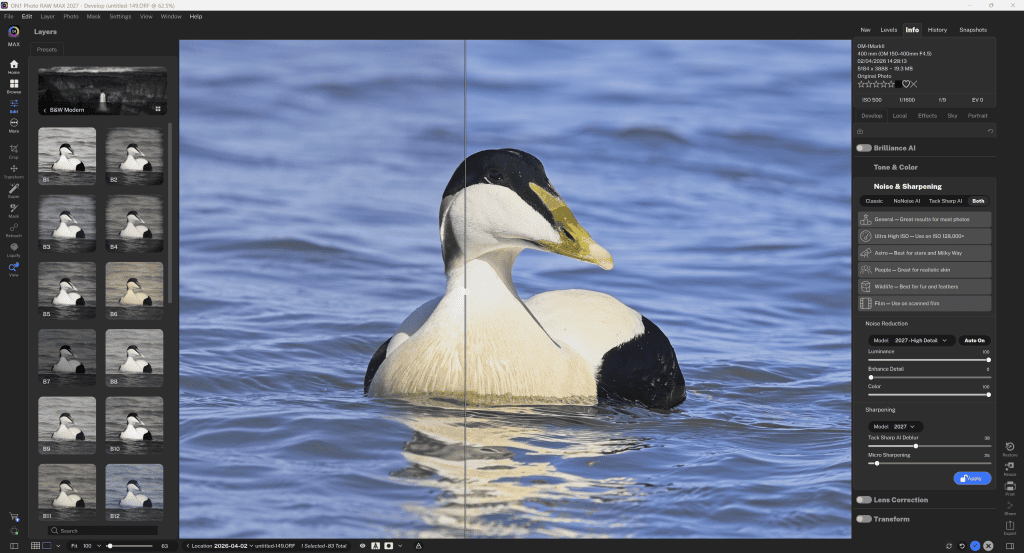
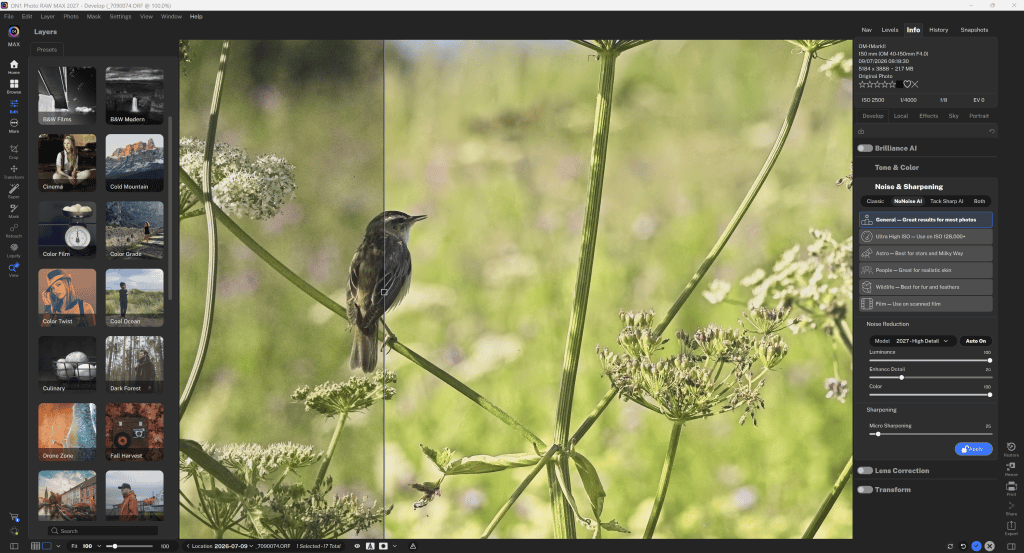
NoNoise AI reduces luminance and colour noise while preserving detail. It is especially useful for wildlife, sports, concerts and night photography, where high ISO settings are unavoidable.
The 2027 version benefits from ON1’s latest processing improvements. Its advantage is convenience. This dedicated program or plugin fits into an established editing workflow.
The trade-off is familiar to every photographer who uses an AI denoiser. Aggressive settings can over-smooth feathers, skin, or fine textures. Because NoNoise is already integrated into Photo RAW, the separate product mainly suits photographers who don’t want the complete suite.
I find the denoising results are better than Adobe Camera Raw’s but not quite up to the premium DeepPrime found in DxO software.
Who should buy it?
Wildlife, sports, concert, and night photographers who regularly shoot at high ISO.
Why buy it?
Targeted noise reduction can clean up difficult images without requiring a complete change to your editing system.
Verdict.
On1 NoNoise is a useful specialist purchase if noise is a recurring problem. However, do compare results on your own camera files before buying.
ON1 Resize AI for enlargement and printing
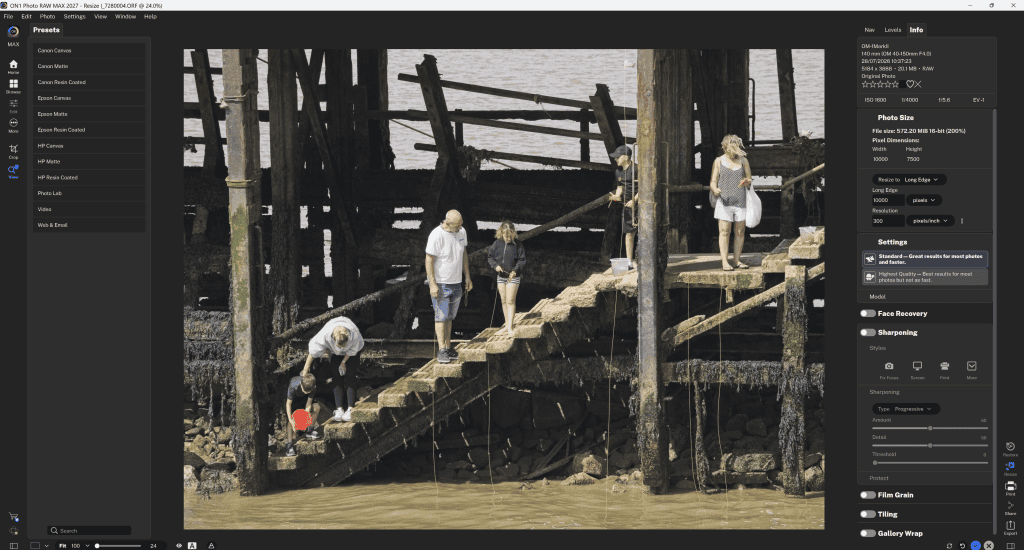
Resize AI specialises in upscaling small images, preparing large prints and recovering apparent detail from heavy crops.
It can be valuable for exhibition prints, wildlife photographs and older low-resolution files. I recently used it to upscale old, low-quality photo scans, making them large enough to publish in a client’s book.
Results can look impressively sharp at normal viewing distances. However, no enlargement system can guarantee faithful recovery of detail that was never captured in the first place.
Again, ON1 Photo RAW users already have integrated resizing tools, so the standalone edition is primarily an economical addition to another editor for those who don’t want the entire suite.
Who should buy it? Printmakers, exhibition photographers and anyone enlarging tight crops or older low-resolution images.
Why buy it? It provides a dedicated enlargement and output workflow, not just basic interpolation.
Verdict. It’s most compelling for those who frequently produce large prints and want superior quality results. Meanwhile, occasional resizing may not justify buying another application.
ON1 Effects for Creative Finishing
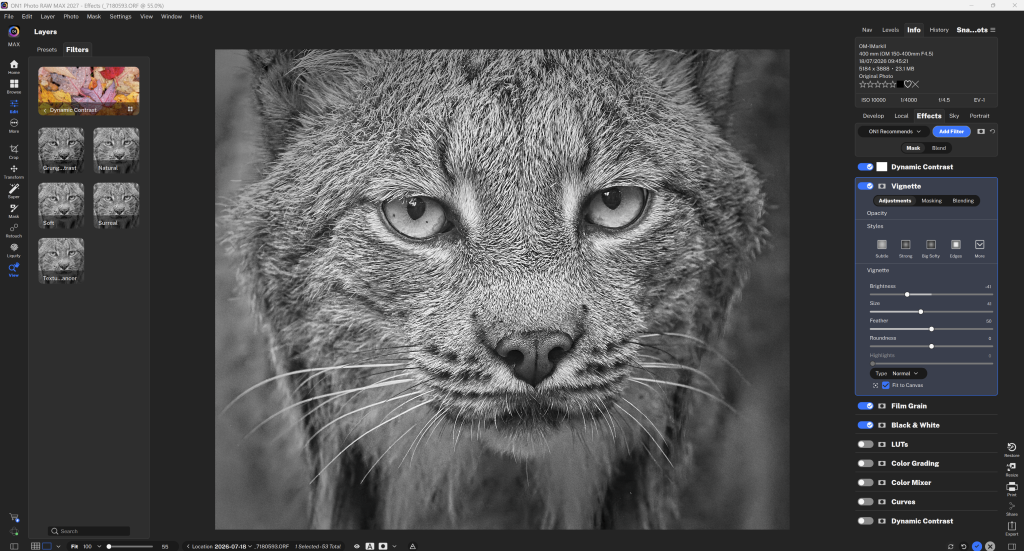
ON1 Effects offers stackable filters, presets, LUTs, textures and finishing treatments, with masking to control where each look appears.
It is an appealing way to create a consistent visual style and is widely adopted by lifestyle, portrait and social-media photography.
I find the best results come from subtle adjustments to some of the wide-ranging presets. Although some effects can become formulaic if overused, it’s down to the photographer to make the right choices when processing an image. You can also edit a photo from scratch using manually applied layer adjustments.
As a standalone product, it overlaps with Photo RAW’s built-in Effects module. So, if you buy either Photo RAW option, it is not worth getting this as well. It is a better option as a plugin for someone who likes their current raw converter but wants a richer creative palette.
Who should buy it?
Photographers who enjoy stylised looks, quick finishing treatments and preset-driven editing.
Why buy it?
It’s best suited to those who want layered filters and selective masking, and who want to explore looks without rebuilding them manually.
Verdict.
ON1 Effects is an enjoyable creative tool, though users with strong effects controls already may find some overlap.
Portrait AI is a streamlined retouching program
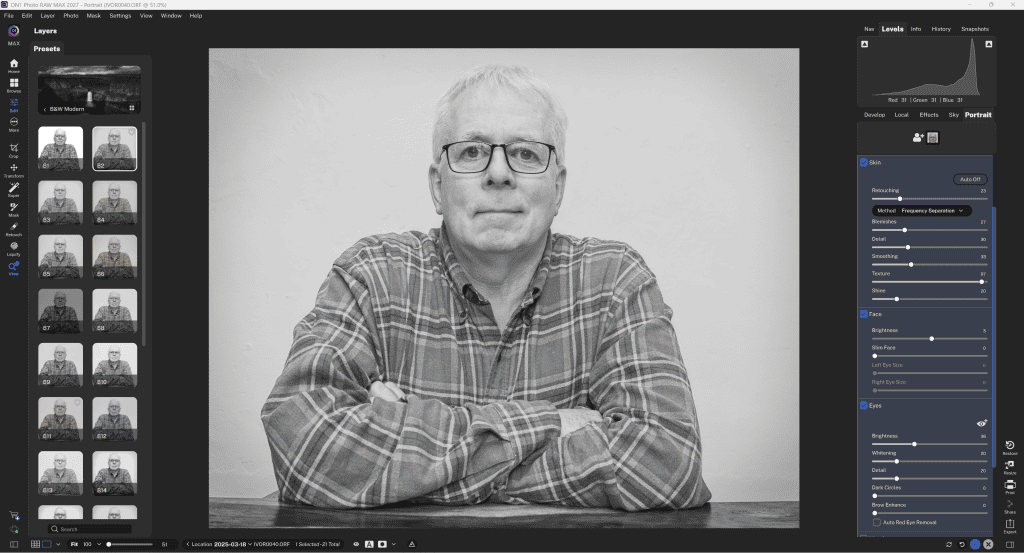
Portrait AI detects faces and streamlines skin, eye and other portrait refinements.
It saves time on large sets of headshots. However, like other similar programs, you need to take care, as over-smoothing can produce artificial-looking skin.
Like all automated retouching, natural results depend on careful adjustment and checking individual faces.
Who should buy it?
Portrait, wedding and headshot photographers editing many faces.
Why buy it?
Automated facial adjustments speed up repetitive refinements while leaving room for precise manual control.
Verdict.
A time-saver when applied subtly; avoid overprocessing skin.
ON1 HDR combines exposure-bracketed images for balancing difficult light.

HDR merges bracketed exposures to retain detail in bright and dark areas, making it useful for interiors, architecture and landscapes. It can produce balanced, natural photographs, although aggressive settings risk the exaggerated “HDR look.”
Who should buy it?
Architecture, interiors and landscape photographers working with bracketed exposures.
Why buy it?
Combining multiple exposures helps manage scenes with more contrast than a single frame can capture.
Verdict
Useful for demanding light, but natural-looking results require restraint.
ON1 Sky Swap AI for replacing skies
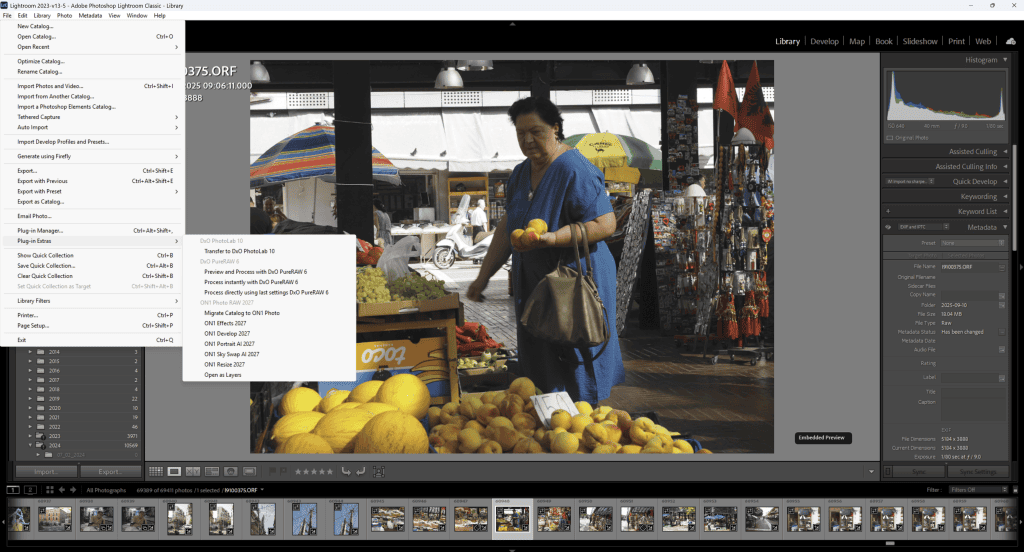
Sky Swap AI replaces skies and can transform a dull scene. Automated selection speeds up complicated masking, but believable results require matching the direction and colour of light, reflections, and fine edges.
Treat it as a creative option, not a substitute for careful shooting. I don’t use it because I prefer authenticity in my images, but some people enjoy swapping skies in photos.
Who should buy it?
Creative editors and property photographers who frequently need to replace unappealing skies.
Why buy it?
Automated sky selection can dramatically reduce complex masking work.
Verdict.
Fast and convenient to use, but realism depends on matching light, reflections and edge detail.
Photo Keyword AI for organising your library
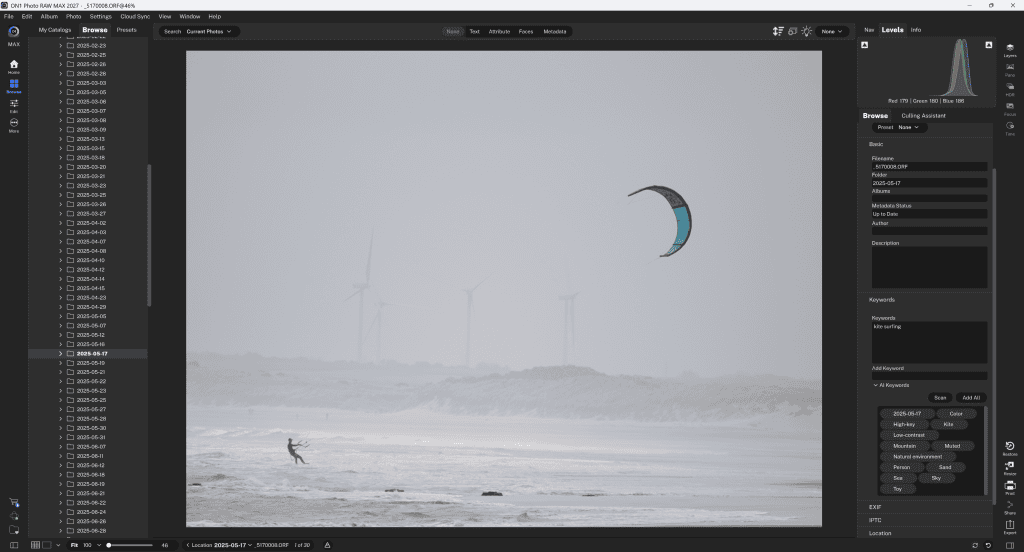
Photo Keyword AI is a productivity tool. It analyses your photos and automatically applies keywords. I am often too rushed to apply keywords, and regret it later when I am desperately searching for a particular photo.
It automatically suggests searchable keywords, helping photographers organise large archives. Its suggestions still need human review for accuracy, especially for specialist subjects and commercial metadata.
Who should buy it?
Photographers, agencies and archivists managing large searchable photo libraries.
Why buy it?
Automated keyword suggestions reduce the effort of tagging thousands of images.
Verdict.
A time-saving workflow utility rather than an editing essential, but you do need to review the generated tags for accuracy.
Mobile Version for editing on the move
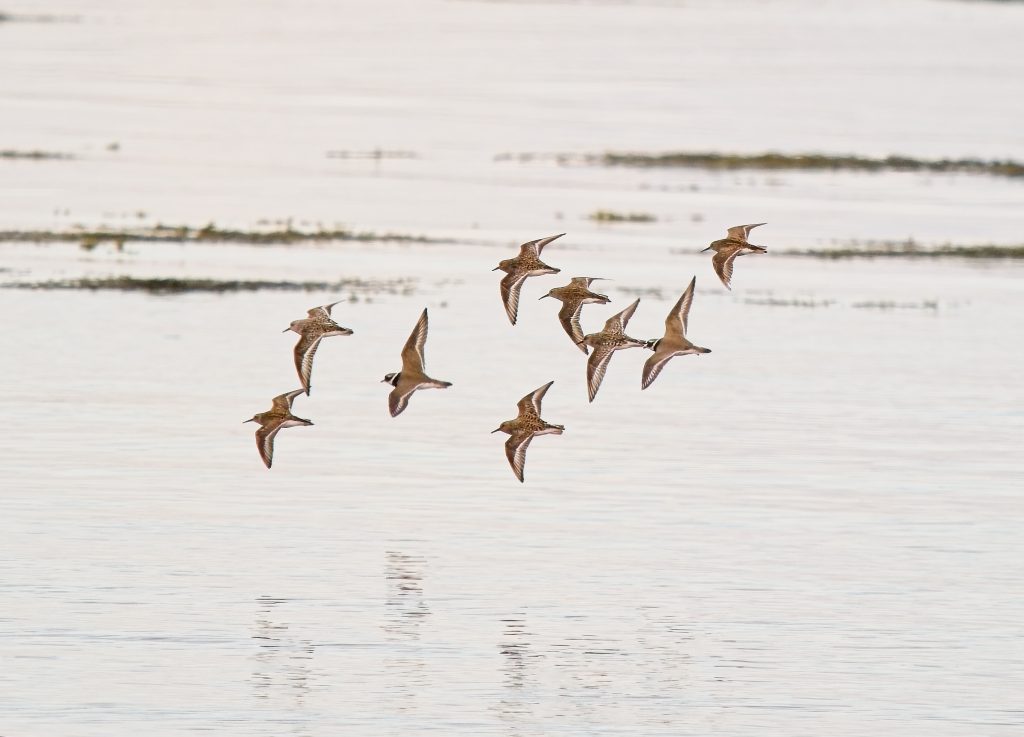
ON1 Photo RAW for Mobile provides RAW capture and editing on supported phones and tablets. It is useful for travel and quick edits, although the desktop workflows remain a better option for complex layers, precise retouching and large batches.
Cross-device synchronisation depends on an eligible ON1 subscription and cloud service. These are considerably better value than the equivalent Adobe cloud services.
Who should buy it?
Travellers and photographers who want RAW capture and quick editing away from a computer.
Why buy it?
Mobile access makes on-the-go adjustments and supported cross-device workflows more convenient.
Verdict
A helpful companion, not a full replacement for desktop editing; check device and subscription requirements.
Licensing, compatibility and value
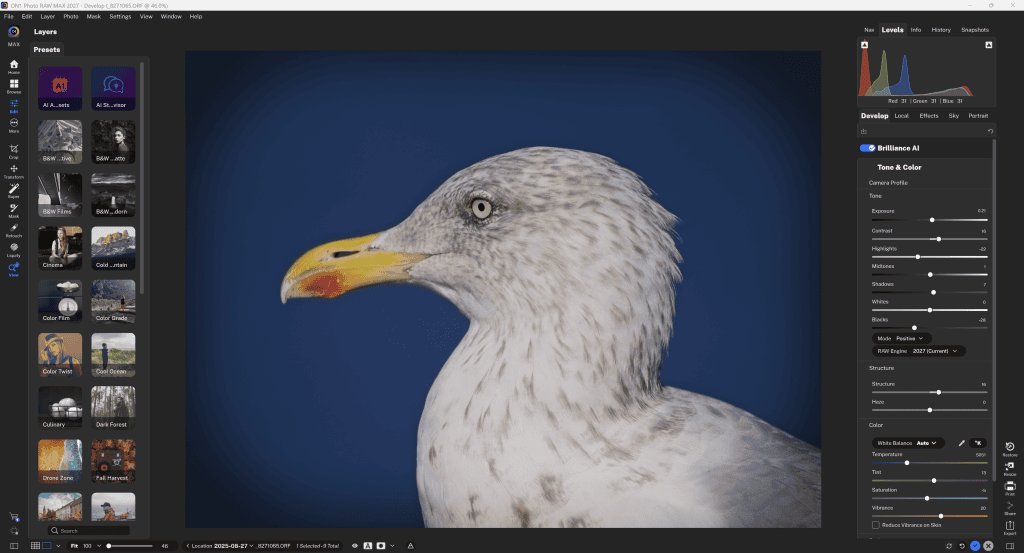
ON1 sells perpetual licences for Photo RAW, MAX and many specialist applications, while subscriptions provide ongoing upgrades and cloud features.
The perpetual licence does not automatically include future major annual versions, although a substantial 6-month upgrade is often given for free with the non-subscription version.
Plugin compatibility varies by product and host, so check the current system requirements before buying. The key buying trap is duplication: buying NoNoise, Resize, Effects, HDR and Portrait AI separately may make little sense when Photo RAW already includes the same tools. MAX is the more logical upgrade when plugin interoperability, culling or restoration matters.
Verdict
ON1 Photo RAW 2027 is the best starting point for most photographers seeking a capable all-in-one editor with ownership rather than a subscription.
Conlcusion
Photo RAW MAX 2027 is the strongest choice for heavy-volume workflows, restoration projects and photographers committed to Lightroom or Photoshop.
The smaller ON1 applications are excellent, specialist tools. They are easiest to justify when they add one missing capability to software you already enjoy.
Downloading trials and comparing results on your own RAW files is more informative than judging promotional before-and-after examples.
Thank you for reading. If you use the links in this article, it pays me a very small commission.
Maybe you are not buying, but still found this or my other articles useful. In that case, please buy me a coffee to help me create more useful articles for you to read.

If you have any queries about the software, please feel free to get in touch.